


New article
Recently updated
How to Create a Your Own Module

As an Administrator you can create your own modules in PolicyConnect. This feature allows you to create a "one-stop-shop" for content that is most relevant to your organisation.
To Create Your Own Module
1. Click the eye in the top menu to enter Administrator View.
2. Click the slider in the top menu to enter Draft Mode. The slider will turn blue once draft mode has been enabled.
3. Click the Create button in the top-menu.
4. In the Create screen that appears, select Empty Module and then click Next. 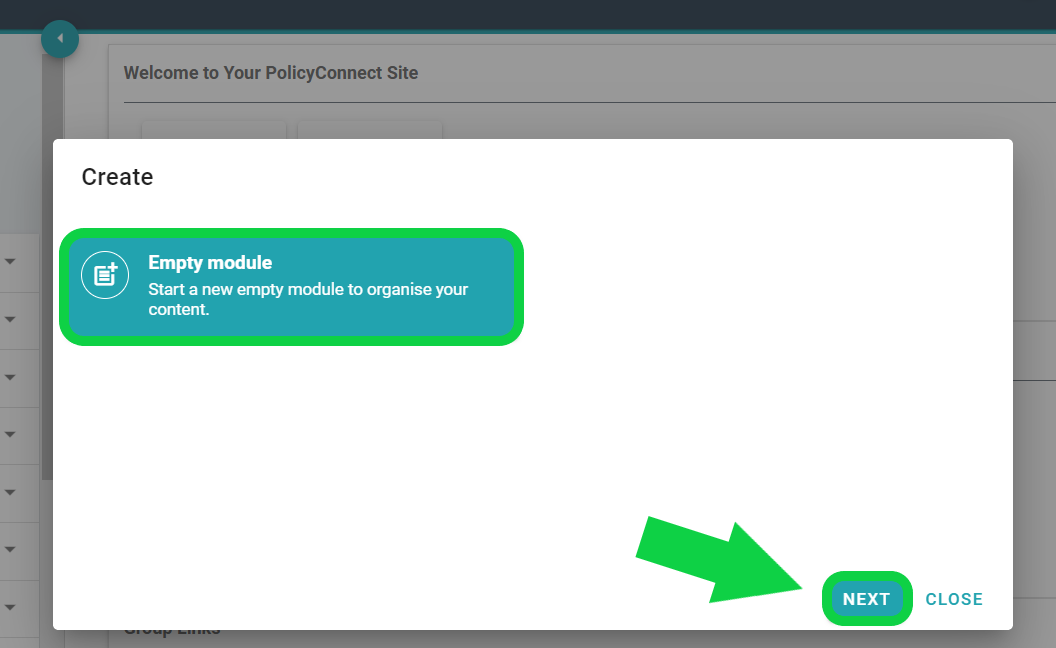
5. In the next window, enter a name for your module. This name will be displayed in the left menu. Then click Create.
6. Your new module will now appear in the module list in the left-hand side menu.
Please note: Each time you create a module, an Executive Summary page will automatically be added to the module.
To Rename or Edit your Executive Summary Page:
1. Click the name of the module you've created in the left menu.
2. Click Executive Summary.
3. Click the Pencil icon in the top right of the Executive Summary page. This will reveal an editing screen.
4. Delete "Executive Summary" in the heading text box and replace with your preferred heading.
5. Delete "table of contents" in the main text box and replace with your preferred content.
6. Click the Save button  in the top-right
Please Note: To make your changes visible to general users, you must first publish them. Please see the Publishing a Custom Module guide for more information.
To learn how to delete or change the names of custom modules, please see our Editing the Title of a Custom Module and Deleting a Custom Module guides.