


New article
Recently updated
How to Set Task Responses by Category

Administrators can now set different task responses to appear for specific task categories. This means that only the relevant task responses appear for the task categories.
Please note: Required Task Responses must be set up when creating a new Task Category. For step-by-step instructions on how to add a new Task Category please visit this guide.
This guide provides step-by-step instructions on how to:
Set Task Responses by Category
Set Task Responses by Category
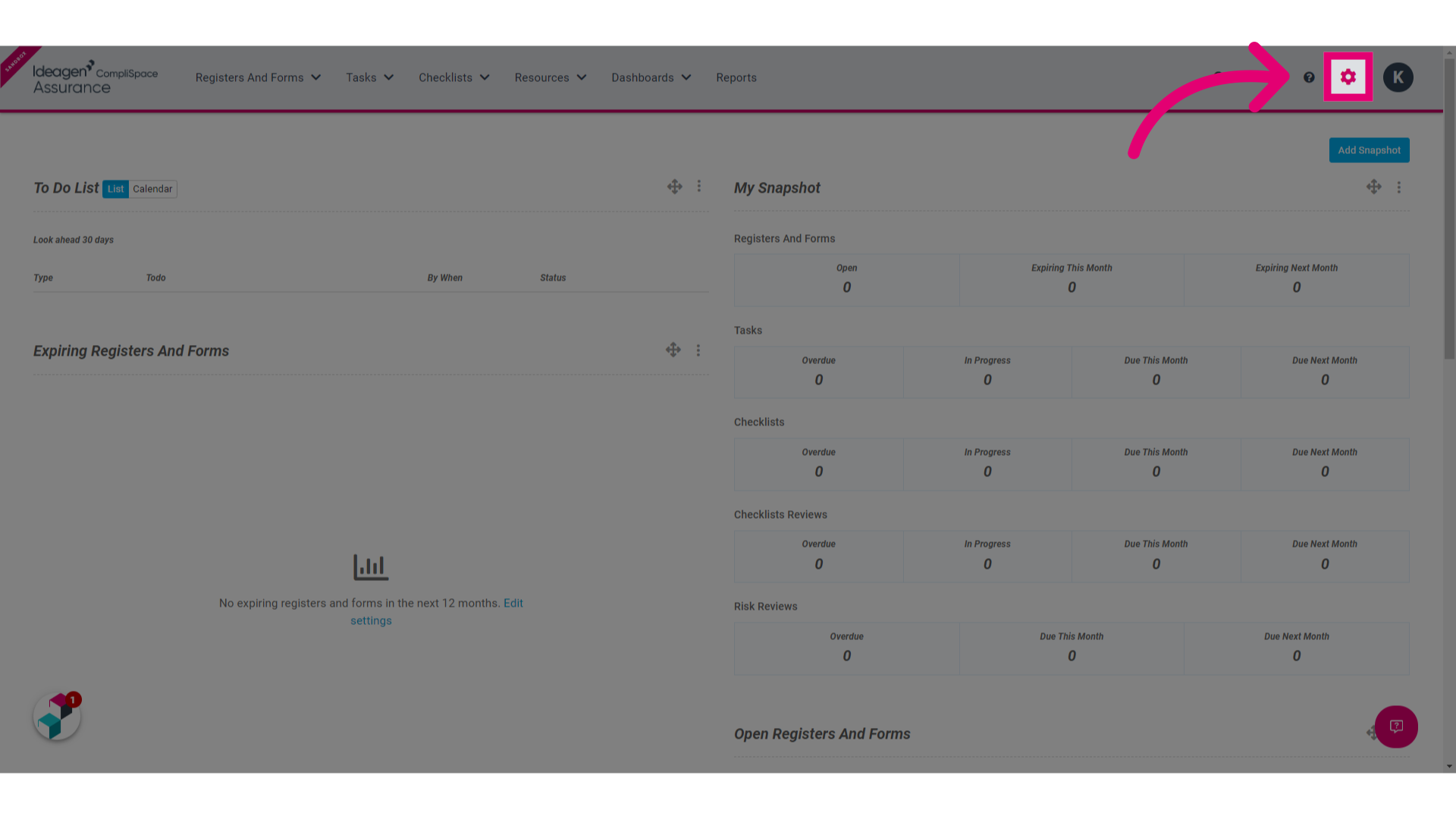
1. Click the Gear in the top menu
2. Click the Task Categories button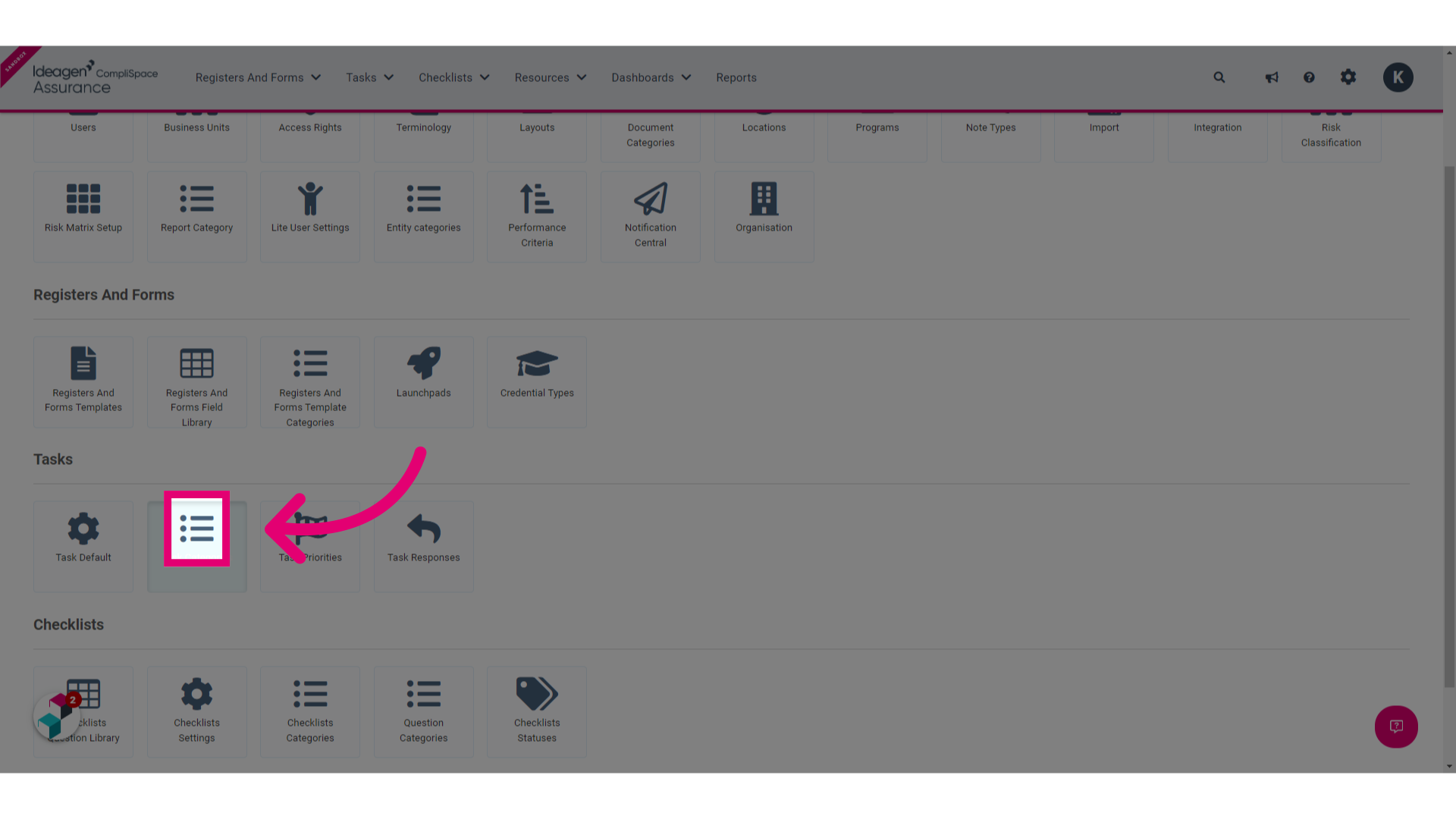 3. Select the desired Task Category
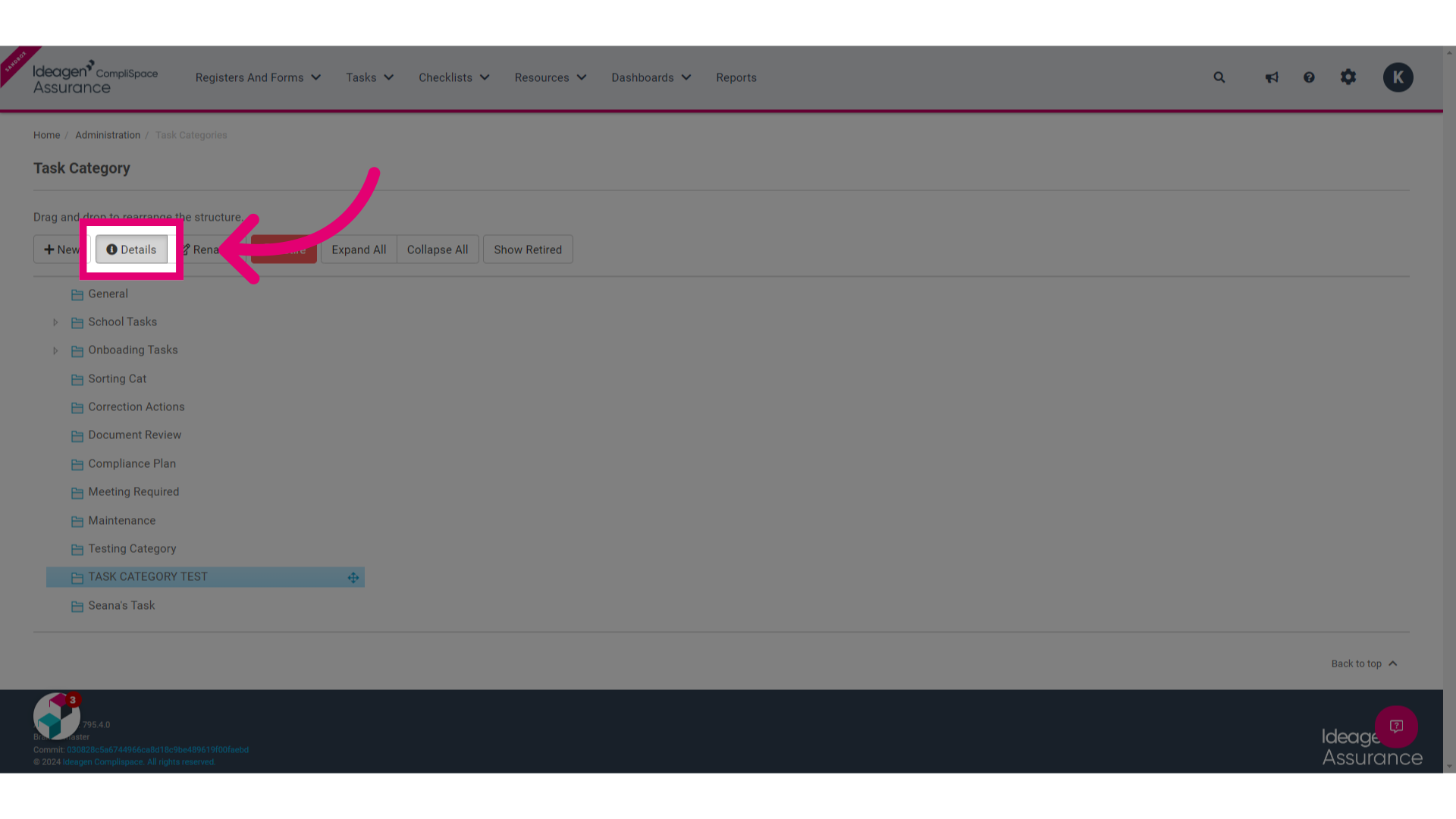
4. Click Details
4. Hover your mouse of Task Responses and click the pencil that appears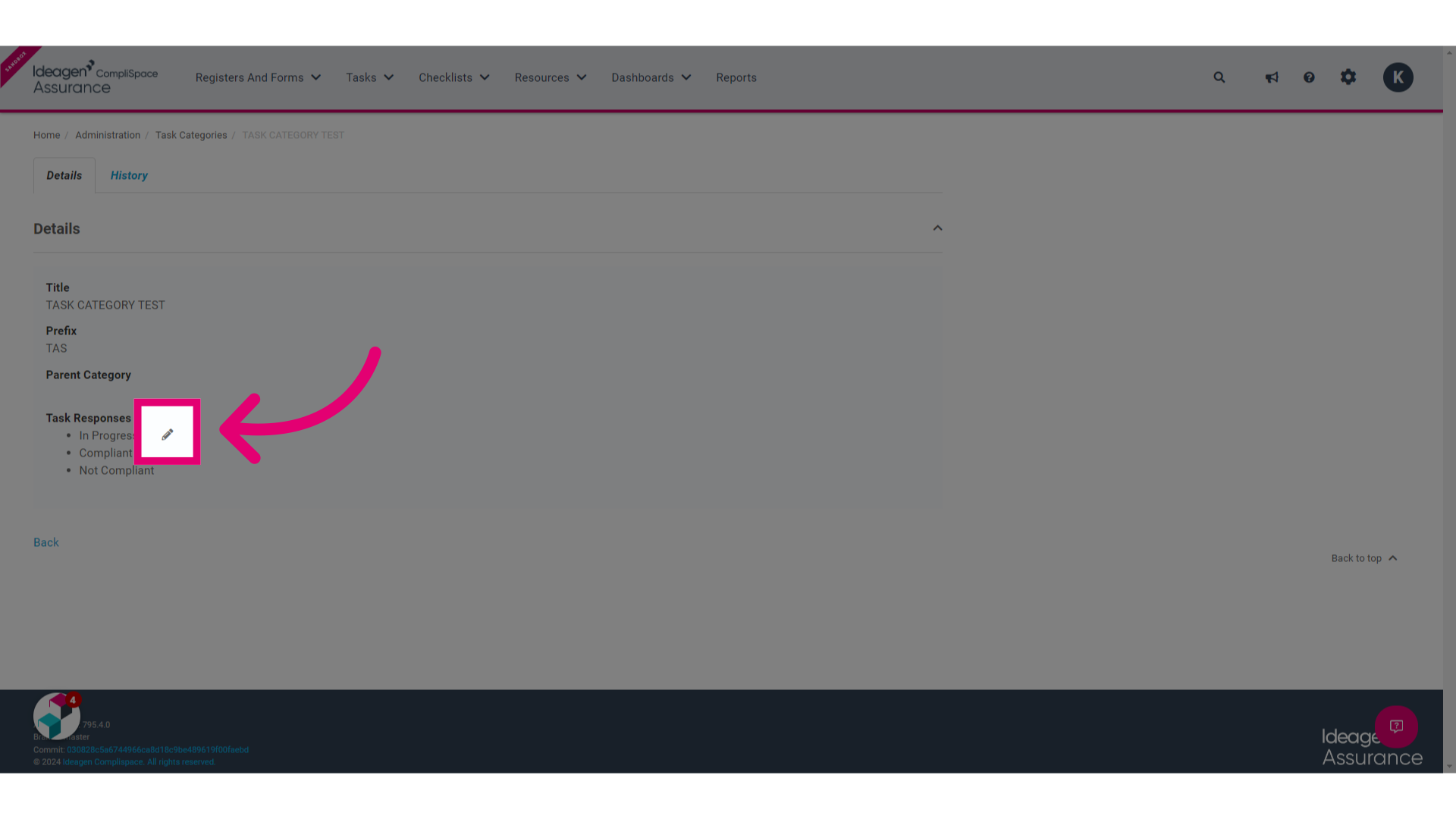
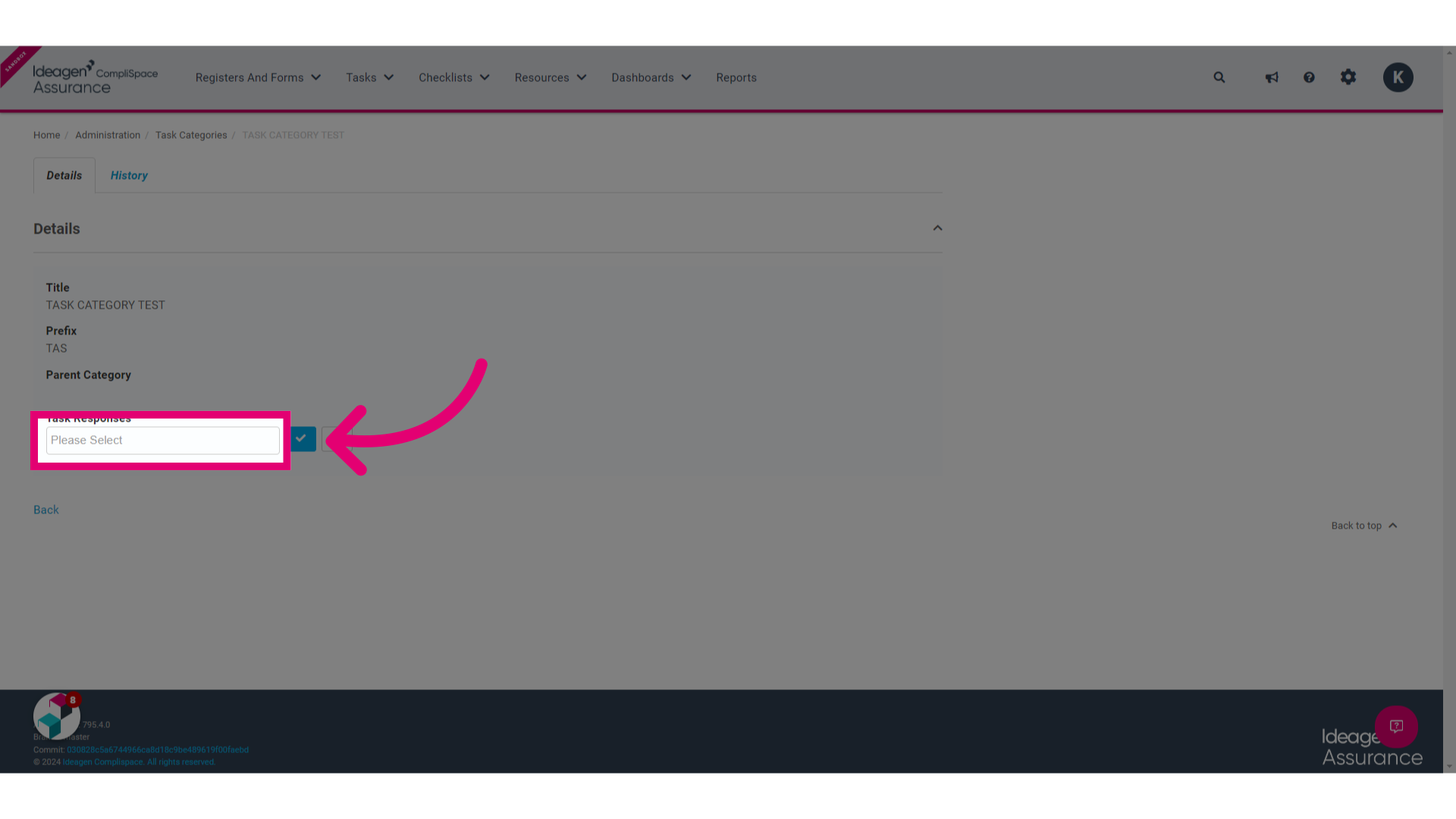
5. Click the text box beneath Task Response and this should reveal a list of Task Category options
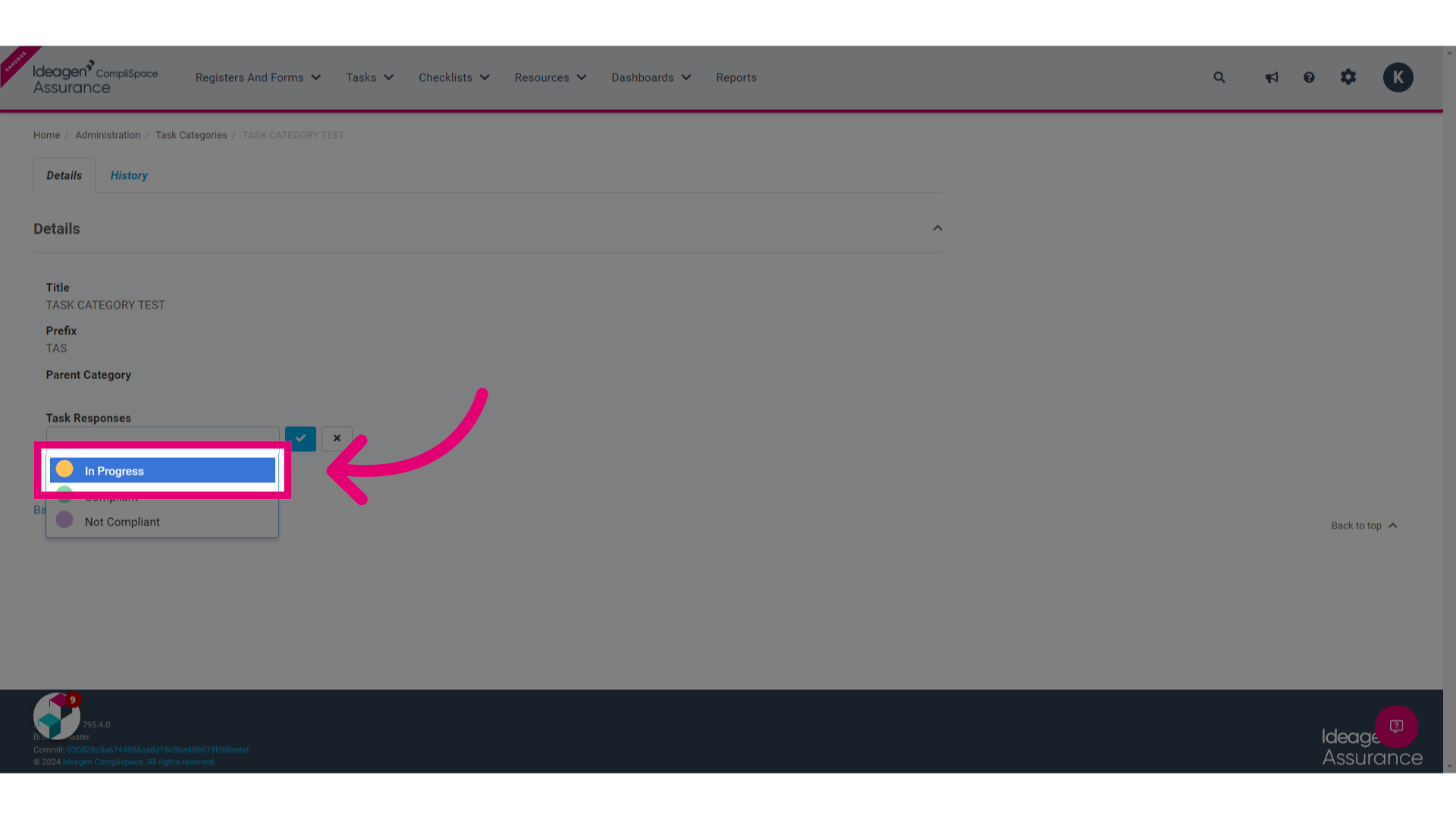
6. Make your selection/s from the options that appear
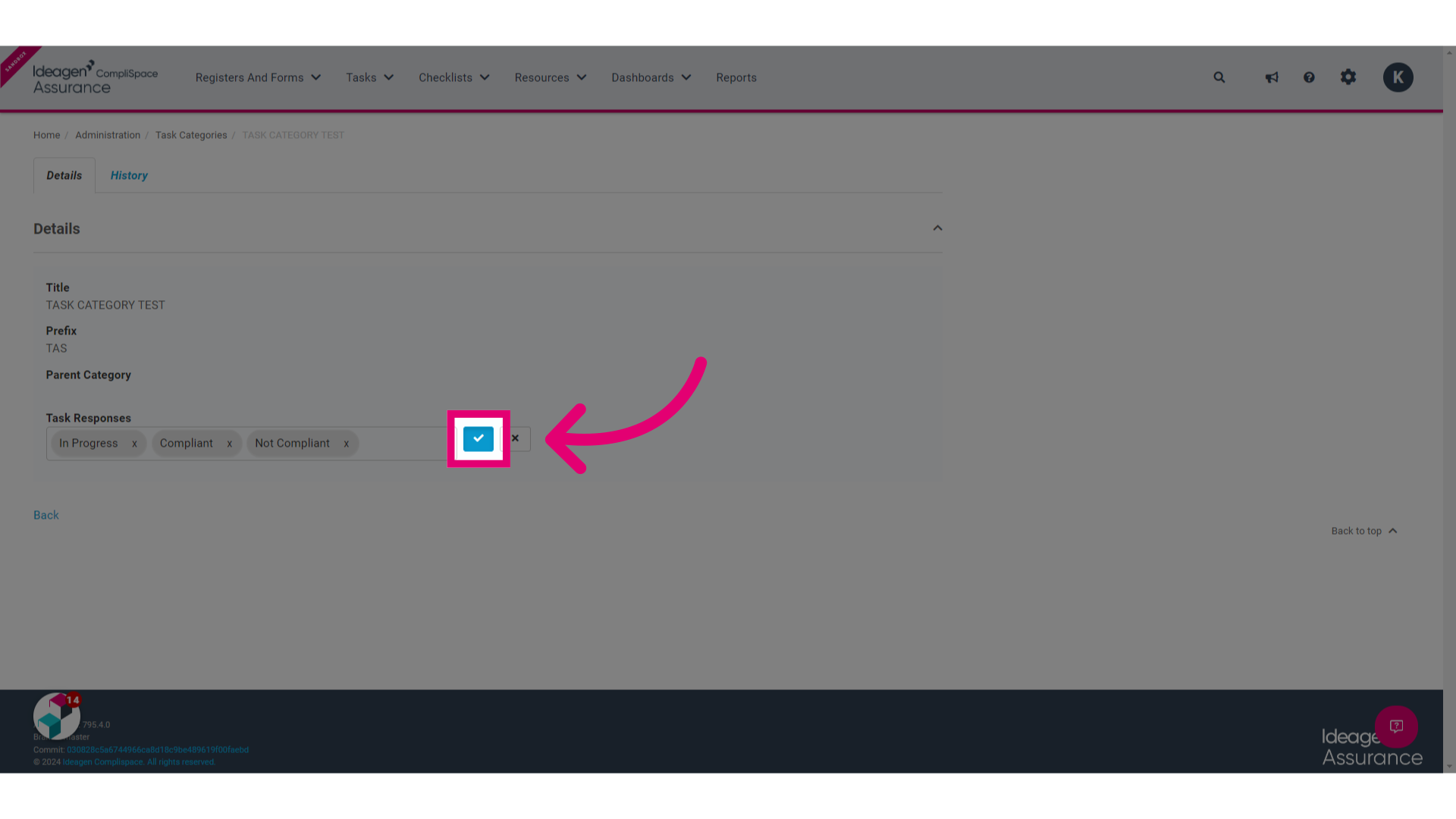
7. Click the Tick button
Please note: All task responses will be displayed by default for task categories that currently exist. You can remove any irrelevant task responses by following the instructions in this guide.